Community hall booking system & website software
Take online bookings, send invoices, accept payments, and run your hall's website — all from one platform that's easy for volunteer committees to manage. Works just as well for memorial halls, public halls and New Zealand's rural halls.
★ 4.7 on Trustpilot-
BOOK-88625 May 26PendingPepperton HallTom Hartley28 May 2609:00–10:00
-
BOOK-88519 May 26ApprovedRambling ClubMonthly walk4 Jun 264 Jun – 27 Aug 26
-
BOOK-88419 May 26DeclinedHelen VossGolden wedding party13 Jun 2618:00–23:00
-
BOOK-88318 May 26ApprovedLittle Acorns PreschoolTerm-time mornings3 Jun 263 Jun – 26 Aug 26
A calendar everyone can see.
Display availability for your hall. Public events (trivia nights, fairs, open classes) show their full title so visitors can spot what's on; private hires appear simply as ‘booked’, so hirers can see availability without exposing personal details.
- Separate colours per room (Hall, Meeting Room, etc.)
- Block out for maintenance & holidays in seconds
- Set up repeat bookings for regulars (yoga, U3A, ...)
A proper website for your hall — free hosting included.
No theme files, no FTP, no third-party hosting bill. Click any element on your hall's homepage to edit it — the welcome message, the photo of the kitchen, the list of facilities. Your hall, your words. It's powered by our community hall website builder.
Already have a website? Keep it, and embed your calendar and booking forms in it.
- Free hosting on secure servers, included with every plan
- Works with custom domain names (yourhall.org)
- Promote community groups and share local news
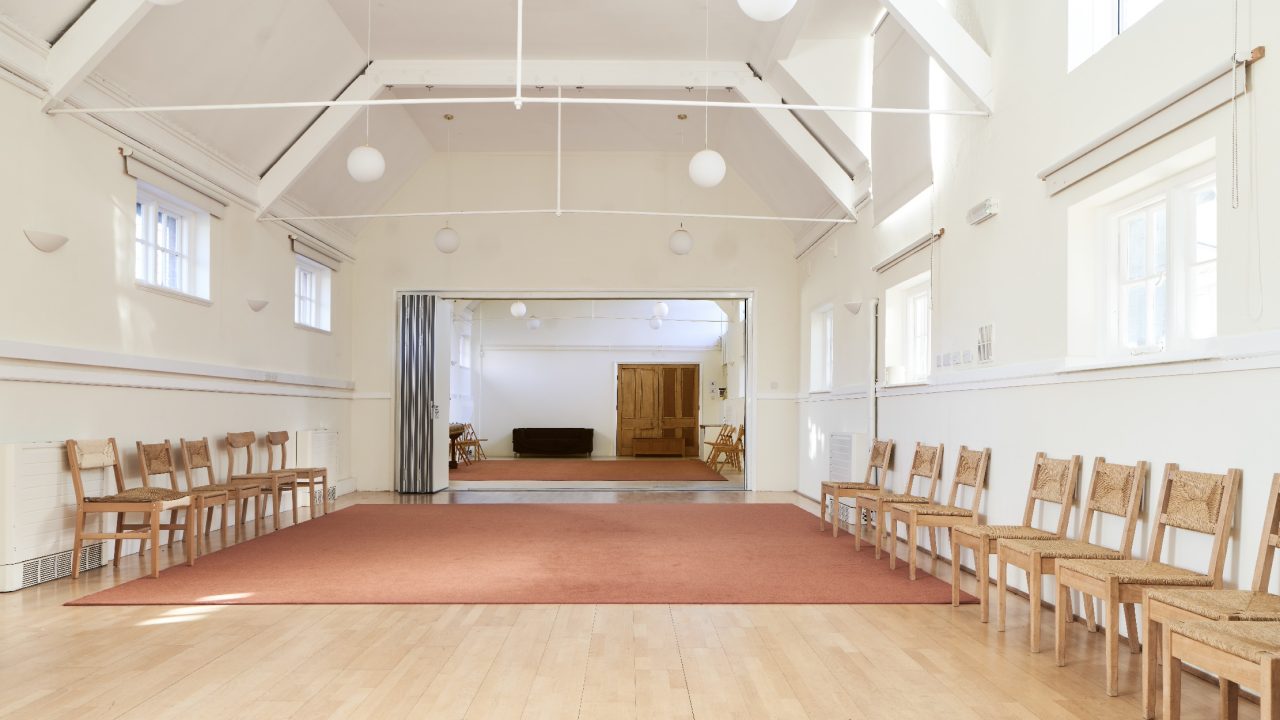
Welcome to Pepperton Hall
A central meeting point for residents and local groups. Hire the hall for wedding receptions, birthday parties, fitness classes — or just pop in for the weekly craft group.
You're always in control.
Using LemonBooking, you can set up an online hall booking form that matches your current workflow — including requiring customers to make booking requests that need to be approved by staff. You're never going to be stuck with a booking that you can't accommodate at your community hall.
Automated notifications
You can set up the booking system to automatically notify you each time a customer submits a booking request so you can respond promptly.
Flexible calendar settings
You can choose how soon and how far ahead customers can make booking requests, and you can easily block out days where you know you won't take bookings (e.g. Christmas).
A printed rota for the key-holder.
Not every volunteer wants to log in to check what's on. Print a tidy weekly rota for whoever holds the key, unlocks for the cleaner and sets out the chairs — pin it by the door and everyone's on the same page.
- A weekly schedule to print for the noticeboard or kitchen fridge, or download as a spreadsheet
- Shows each room, the times, who to call and any setup notes
- Have it emailed round the committee automatically each week
| Day | Time | Room | Group | Notes |
|---|---|---|---|---|
| Mon | 18:00–19:30 | Main Hall | Beavers & Cubs | Chairs stacked to the side |
| Wed | 10:00–11:30 | Main Hall | Toddler group | Soft-play mats from store |
| Fri | 19:00–22:00 | Main Hall | Whist drive | Card tables out |
| Sat | 12:00–17:00 | Main Hall | Adeyemi christening | Buffet tables — no alcohol licence |
| Sun | 11:00–12:30 | Meeting Rm | Art club | Easels in the store cupboard |
Invoicing and online payments.
Give your volunteer treasurer an easy life. When you approve a hall booking, tick one box and its invoice goes out with the confirmation, with your hall's logo and your own sequential numbers. Hirers settle up by bank transfer — or by card if you allow it — and card payments are marked paid automatically, while a transfer takes a couple of clicks to record.
- Simple, clear layout with GST details only when needed
- Add payment links so customers can pay online
- Friendly automated reminders for overdue invoices
- Syncs with Xero and QuickBooks
Pepperton, GL2 4XY
| Description | Qty | Rate | Total |
|---|---|---|---|
|
Main Hall hire
Sat 14 Mar · 2–5pm · christening party
|
3 hrs | $30.00 | $90.00 |
Works with your bookkeeping software Works with the bookkeeping software you already use


Villagers' rates and everyone else.
Most halls charge locals less than outside bookers, and give regular community groups a lower rate again. Set up booking groups (Resident, Charity, Business and so on) and our community hall booking software applies the right price automatically — no discount spreadsheet, no sums on the back of an envelope.
- As many booking groups as your hall needs.
- Charge more for evenings and weekends than weekday daytimes.
- Members-only and private rates stay hidden from everyone else.
| Group | Mon–Fri day | Mon–Fri eve | Sat & Sun |
|---|---|---|---|
|
Resident
Lives in the shire
|
$16 | $20 | $25 |
|
Charity
Requires ABN (NZBN)
|
$20 | $24 | $28 |
|
Business
Commercial hirers
|
$32 | $38 | $45 |
That special rate for the pre-school.
Do you have a long-standing deal with the local pre-school? Has the CWA (Rural Women) paid the same rate since 1995? Pin a private price to that one hirer — it only shows when they log in, and never appears on the booking form for anyone else.
- Override the group rate for a specific customer.
- Only visible to that customer when they log in.
- Remove a customer's rate when the deal ends.
- Applies to
- Main Hall · Mon–Fri 9am–12pm
- Effective
- From 1 Sep 2025 · Until 31 Aug 2026
- Visible to
- Cricklade Pre-school login only
Support that survives a committee handover.
Committees change, and the new secretary inherits the bookings. We set the hall up with you at the start and we're an email away whenever someone new takes over, so the handover never leaves anyone stuck. Expect a reply from a real person within one or two working days.
- We do the initial setup & configuration with you
- Email support for whoever's on the committee this year
- Self-serve help centre, YouTube videos & guides for new volunteers
Hi! We've just gone live with online bookings. How do I set up our yoga class so it repeats every Tuesday during term — but skips the school holidays?
Hi Sarah — lovely to have you up and running! Quickest way: save the yoga class as a weekly repeating booking so the whole term lands in one go, then open the school-holiday weeks and remove those Tuesdays. There's a 90-second video attached — reply here if you get stuck.
Customer review from Trustpilot
“The system is intuitive and flexible, handling everything from hall hire and event ticketing to sports memberships and court bookings in one place.”
Frequently asked questions
Anything we haven't covered, drop us a line.
What is the best community hall booking system?
The best one is the one your committee will actually keep using. Look for online booking and payment so hirers can book without phoning anyone, invoices that go out and chase themselves, a calendar that stops double bookings, a hall website that shares the same prices and photos, and a price a small hall can afford. Try it with your real rooms and rates on a free trial before you commit. LemonBooking was built for halls like yours and does all of that from one login.
Is there free community hall booking software?
There's a 30-day free trial of the whole system with no card required, but it isn't free forever — running and supporting a community hall booking system has real costs. Plans start low and are pitched for small halls, and the trial lets your committee try everything before you commit a cent.
We're all volunteers with no IT person. Will we cope?
Yes. The system is built for committees and committee members, not technicians. We do the initial setup with you so nobody faces a blank screen, and admin and editor roles let two or three volunteers share the bookings without anyone needing technical know-how.
How do hirers pay for the hall?
Hirers pay by bank transfer, or by card if you connect Stripe — they just click the link on their invoice, with no account needed. Card fees go to the provider; we don't add anything on top.
Is there a community hall booking system app for our phones?
There's no separate app to install. LemonBooking runs in any web browser and the calendar and approvals work on a phone, tablet or laptop, so committee members can approve a booking from the sofa. It updates instantly with no app-store downloads to manage.
How much does a community hall booking system cost?
Plans start at $360 a year for Bronze, billed annually. Your website, hosting and SSL are included, as are email support and the online help centre, and there are no set-up fees. Halls letting several spaces or running ticketed events pay more; the pricing page sets out what each plan covers. Card fees, where you take card payments, go to the payment provider rather than to us.
Can we run our community hall website on it too?
Yes — a community hall website is included with every plan, along with hosting, SSL and the page editor. Each space's photos, capacity and prices are shared with the booking system, so you update them once and the website and the calendar both stay right. Most halls replace an ageing site rather than keep two things in step by hand, but you can keep yours and embed the calendar and booking forms in it instead.
Is it a community hall management system as well as a booking system?
Yes. Beyond the calendar it keeps your hirers and their contact details, raises and chases invoices, handles recurring bookings for regular groups, and reports on income and how heavily each space is used — so the committee has one place for the hall's paperwork instead of a shared drive and a spreadsheet.
Ready to try LemonBooking at your community hall?
30 days free. No card required. We do the initial setup with you so you're not staring at an empty system on day one.
Related pages
Bookings, invoicing and payments — designed for community centres and hubs.
Parish-council-friendly bookings, invoicing and a website for your church hall.
For councils and shires that own the hall, alongside their sportsgrounds, reserves and other buildings.